
Use the information below to sign up for WatchTVEverywhere (you must have MPW TV’s ‘Select’ package or above to use this feature)
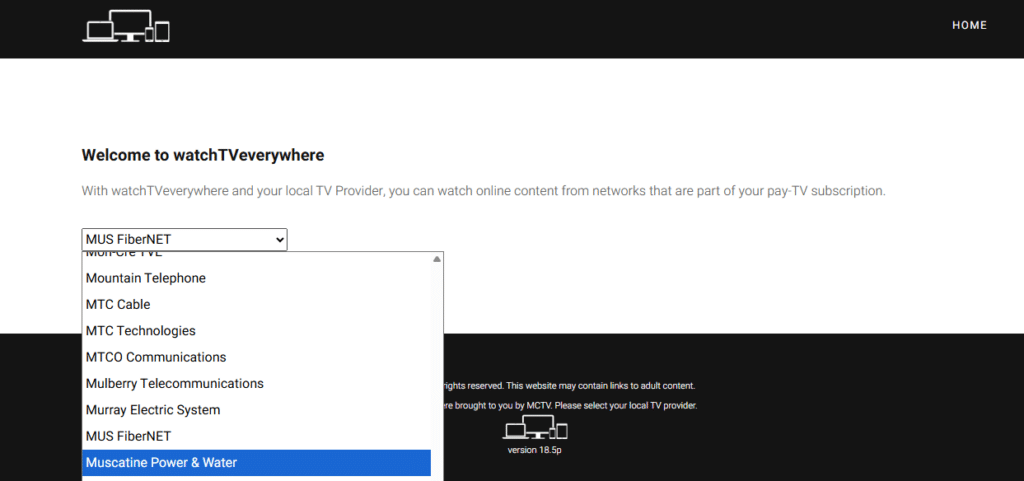
1. Go to the WatchTVEverywhere website click here or www.wtve.net

2. Select “Muscatine Power & Water” as your provider.
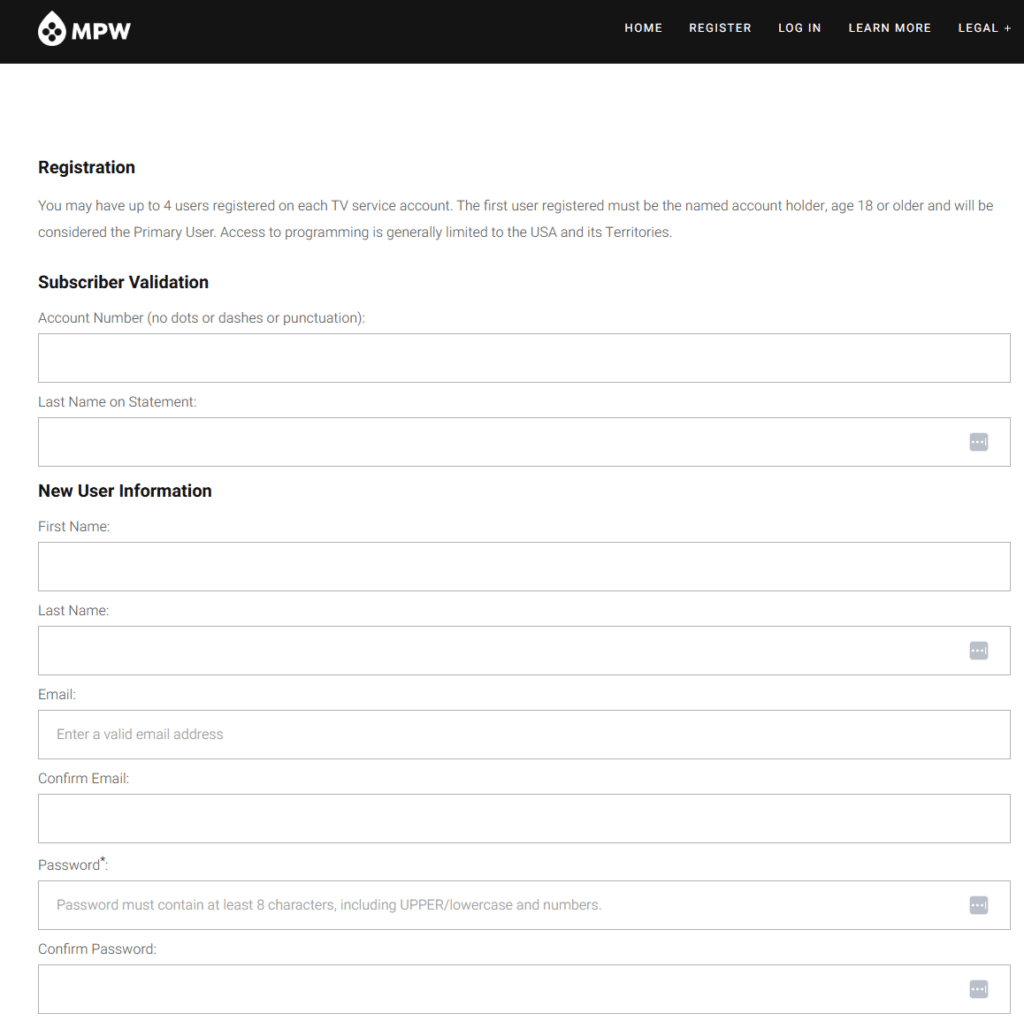
3. Select “Register”

4. Fill out the required information.
5. Check your email for the activation link.
6. Click on the link in your email to verify your account.
You should now be able to access WatchTVEverywhere!
Still need help programming your fiber remote? Please contact our HelpDesk, available from 6 AM to midnight, 7 days a week at 563-263-2631, option 2, or by email at [email protected]
Learn About Our Services

Start saving now
Special Offers
Bundle services and save! Take advantage of our promotions for Internet, TV, phone and electric rebates.

Our energy plan for the future
Powering the future
We’re moving to greener, more sustainable energy solutions. See the future of MPW energy.

Got the need for speed?
Faster Internet is here
Enjoy Muscatine’s fastest speeds on an all fiber network. Stream, work, and play!