
SmartHub
Pay your bill and so much more!
With the SmartHub app, you’ll have features like pay your bill online, real-time balance updates, report and view outages quickly and more.
What is SmartHub?
SmartHub is our online account management tool, designed to make managing your utility account simple and convenient—anytime, anywhere. Available on the web and as a mobile app for iOS and Android, SmartHub puts everything you need in one place.
View and Pay Your Bill
Once you log in, you can quickly view your current bill, review past bills, and make a payment in just a few clicks. Want to compare costs month to month or season to season? Your billing history is always available.
SmartHub also lets you securely save your payment information, so future payments are even faster.
Track Your Energy Use
SmartHub gives you insight into how much energy you’re using and how that use changes over time. Viewing usage trends can help you better understand your habits and take steps to manage your electric bill.
You can also set usage alerts to be notified when your energy use reaches a level you choose.
Stay Informed
Important account notices and updates are easy to find in SmartHub. You can choose how you’d like to receive bill notifications—such as email or text—so you never miss important information.
Contact Us or Report an Issue
Have a question or need help? SmartHub makes it easy to contact customer service at any time. If you experience a service issue, you can report it directly through the mobile app—no phone call required.
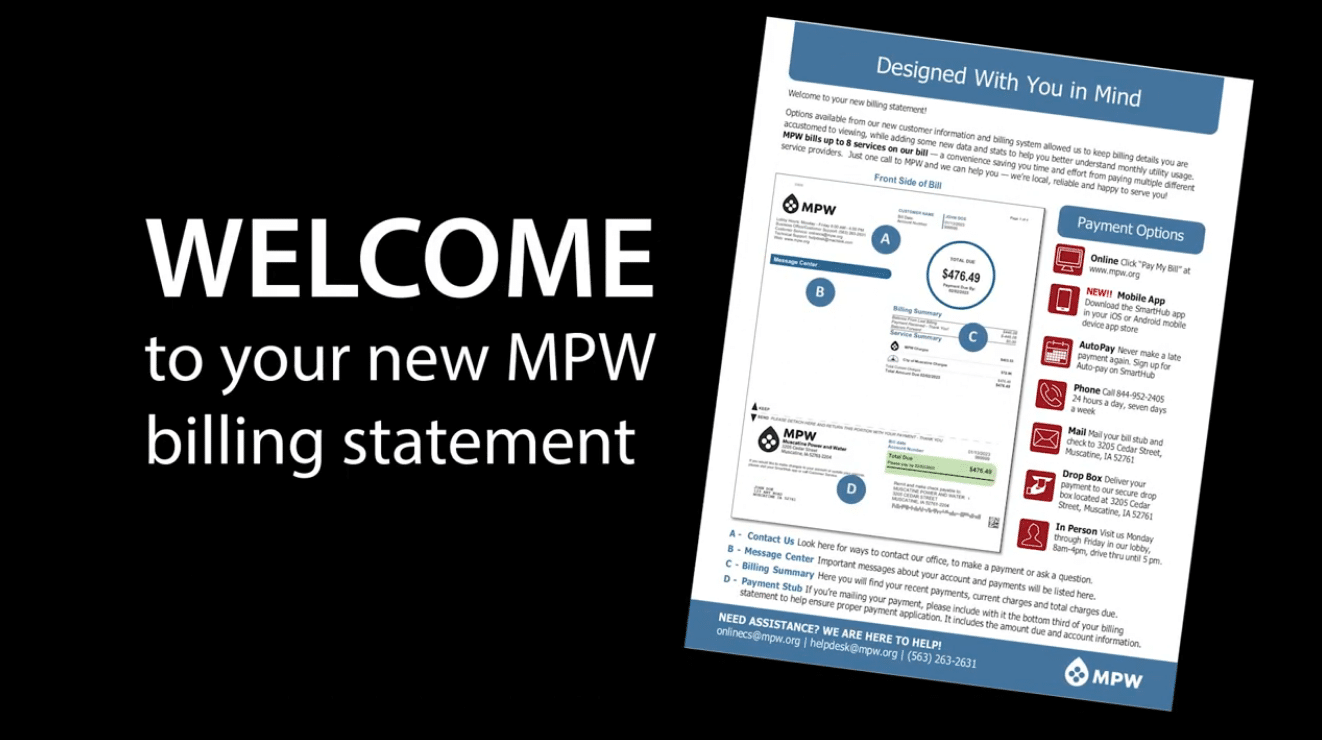
Understanding Your Billing Statement
Your MPW billing statement is designed to give you a clear picture of your monthly utility use—all in one place. Our billing system keeps the details you’re used to seeing, while also adding helpful information and usage data to make your bill easier to understand.
MPW bills up to eight services on a single statement, saving you the hassle of managing multiple accounts and payments with different providers. One bill. One call. One local team ready to help.
If you have questions about your statement or your services, our customer service team is just a phone call away.
Other Frequently Asked Questions
Click the arrows below to expand our most frequently asked questions.